Mobile Native Plugin
Mobile App – Status Bar Config
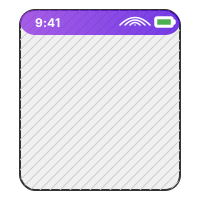
Control the text color, background visibility, and layout overlays of iOS and Android status bars dynamically from your Bubble workflows. Essential for achieving a clean, native app feel in mobile wraps.
Capabilities
Key Features
- Switch status bar style (light / dark content) dynamically.
- Enable or disable overlays (letting your app content draw underneath).
- Configure custom background colors.
- Works seamlessly with wrap engines like BDK, Jasonelle, and Capacitor.
Setup & Usage
1
Install the plugin from the Bubble editor.
2
Add the 'Status Bar Configuration' action into your page load or device-ready workflow.
3
Set the desired style (Default, Light Content, or Dark Content) and toggle overlay option.
Building something ambitious, or fixing something that's gone sideways?
Tell us where you are and where you're trying to get to. We'll tell you honestly whether — and how — we can help.